Don’t Miss Out Any Update
Ready to Launch Your High-Paying
Career in DevOps + DevSecOPs With AWS And SRE?
Master In-Demand Skills with Our 200+ Hour Project-Based Course, Taught Live in Telugu.
Go from Zero to Job-Ready in 5 Months!
Watch The Video Below Before Seeing Anything..
- 17th August (Sunday): 7:30 PM – 9:00 PM



Regular Classes- 18th Aug 7:30 PM || Daily 2 Hrs Live Class || 1 Hour 30 mins Regular Class 30 mins Stand-Up Call / Interview Questions Discussion
Attend the Free Demo,
“Get the First Week” of Classes FREE.
Demo Class Starts In
Days Hours Minutes Seconds
- 📢 Only 100 Seats Very Few Left…
HURRY! ✨Grab Your Seats Now, and Seats Are Filling Up Fast!!!🙌
Register Before Demo Session Start
Grab Course At only ₹23,000 ₹25,000 Save ₹2000
Before Anything More You Read On This Page…
Please Check These Boxes If Your Answer Is “Yes”
- Want to get a high-paying IT job in a top company, but don’t know where to start?
- Confused by random YouTube videos and need a clear, step-by-step learning roadmap?
- Want to master the exact skills that companies are demanding right now: DevOps, AWS, and SRE?
- Afraid of technical interviews because you lack real-world project experience?
- Worried that your “career gap” or non-computer science background is holding you back?
- Looking for ONE complete program with live classes, direct trainer support, and job assistance?
If you checked any of these boxes above, then you’re highly invited to join the
“DevOps + DevSecOps With Aws Cloud & SRE FREE DEMO”
Because This course was designed from the ground up to solve these specific challenges and turn your career goals into reality.
Register Before Demo Session Start
Grab Course At only ₹23,000 ₹25,000 Save ₹2000
What You Learn In This Complete Training
Docker

Kubernetes

AWS
SRE

Linux

Jenkins

Tomcat

SonarQube

Nexus

Terraform
Ansible

Nginx

Grafana
Prometheus

Git

GitHub
Argo CD

GitHub Actions
Roadmap You Follow in these 5 Months
-
Introduction to DevOps Concepts
-
Understanding Software Development Life Cycle (SDLC)
-
Waterfall Model in Traditional SDLC
-
Agile Methodology Overview
-
Scrum Framework Basics
-
Sprint / Iteration Cycles in Agile
-
Defining DevOps – A Cultural and Technical Shift
-
Reasons to Choose DevOps – Key Drivers
-
Significance of DevOps in Modern IT
-
The DevOps Operating Model
-
Stages in the DevOps Lifecycle
-
Current Market Demand & Career Prospects in DevOps
-
Overview of Commonly Used DevOps Tools
-
Introduction to Linux Operating System
-
Installing Required Software (SSH Tools and FTP Tools) on Desktop/Laptop
-
Creating an AWS Account
-
Launching an EC2 Instance in AWS
-
Linux File and Directory Structure
-
100+ Linux Commands
Module 1: Shell Scripting Basics
- Introduction to Shell Scripting
- What is Shell?
- Types of Shells
- What is Shell Scripting?
- Writing Your First Shell Script
- Shell Script File Naming Conventions
Module 2: Scripting Elements
- Adding Comments in Scripts
- Working with Variables
- Command Line Arguments ($1, $2, $@, etc.)
- Escape Characters in Output
- String Handling Techniques
- Arithmetic Operations in Shell
Module 3: User Interaction
- Accepting Input with read Command
- Input & Output Redirection (>, >>, <, 2>)
Module 4: Control Flow
- if, else, elif Conditions
- for Loops
- while Loops
- case Statements (Switch-case style)
Module 5: Advanced Scripting
- Shell Functions (Reuse Logic)
- Using Pipes (|) for Data Flow
Module 1: Git & Version Control Basics
- What is Git?
- What is VCS (Version Control System)?
- What is SCM (Source Code Management)?
- Why Git is important in DevOps?
- Git Architecture
- What is Branch?
- What is Tag?
Module 2: GitHub Essentials
- Creating Account on GitHub
- GitHub vs Git (Key Differences)
- GitHub UI Overview
- SSH Key Generation
- PAT (Personal Access Token) Creation
- Cloning Repositories (From GitHub)
Module 3: Git Core Commands & Developer Workflow
- Git Initialization & Local Repo Setup
- Git Common Commands (init, add, commit, status, log)
- Cloning Remote Repositories
- Working with Git as a Developer
- Git Administration Tasks
- Git Configuration (user.name, user.email)
- README File Creation & Usage
Module 4: Git Collaboration & Workflow
- Forking a Repository
- Pull Requests (PRs)
- Merging Branches
- Conflict Resolution with Real-Time Examples
- GitHub API – Using Shell Script to Access GitHub
- Creating & Managing Issues in GitHub
Module 5: Git Branching Strategy
- Feature Branching
- feature/login-page, feature/cart-module
- Hotfix Branching
- hotfix/db-connection-error
- Release Branching
- release/v1.1, release/2025Q2
- Develop Branch Strategy (Git Flow)
- main → develop → feature
- GitHub Flow
- Create PR from branch → Code Review → Merge to main
- Trunk Based Development
- Frequent small commits to main with automation
- Environment Branching
- dev, qa, stage, prod
Module 6: Best Practices & Interview Preparation
- Git Ignore and Best Practices for Clean Code
- Branch Naming Conventions
- Writing Clear Commit Messages
- Difference Between reset, revert, checkout
- Interview Questions on Git/GitHub (Scenario Based)
- Real-Time Use Cases in CI/CD Pipelines
Module 1: Introduction to Maven
- What is Maven?
- Why do we use Maven in Java Projects?
- Features and Benefits of Maven over manual build processes
- Comparison with other build tools (Ant, Gradle)
Module 2: Maven Installation & Setup
- Downloading Maven on Windows/Linux
- Setting Environment Variables (M2_HOME, PATH)
- Verifying Maven Installation using mvn -v
Module 3: Maven Project Structure
- Standard Directory Layout of a Maven Project
- Understanding src/main/java, src/test/java, and target/
- Role of pom.xml
Module 4: Maven POM File
- Understanding pom.xml structure
- Key Tags in POM: <groupId>, <artifactId>, <version>, <dependencies>, <build>
- Plugin and Dependency Management
Module 5: Maven Repositories
- Types of Repositories: Local, Central, Remote
- Maven Repository Lookup Mechanism
Module 6: Maven Build Lifecycle
- Default Lifecycle: validate, compile, test, package, verify, install, deploy
- Clean Lifecycle
- Site Lifecycle
Module 7: Hands-on with Maven
- Creating Maven Project manually and via mvn archetype
- Running Commands: mvn clean install, mvn package, mvn dependency:tree
- Understanding target/ Folder
Module 8: Multi-Module Maven Projects
- Parent POM configuration
- Inheriting configuration in Child POMs
- Best Practices for CI/CD pipelines
- Common Maven Interview Questions
Module 1: Introduction to Tomcat
- What is Tomcat?
- Use case of Tomcat in Java-based applications
- Difference between App Server and Web Server
- Understanding of Web Servers, App Servers, and Database Servers
Module 2: Tomcat Installation
- Tomcat Setup on Windows (Extraction Method)
- Tomcat Setup on Linux (Installation using tar or package manager)
- Setting Environment Variables (CATALINA_HOME, JAVA_HOME)
- Starting and Stopping the Server
Module 3: Directory Structure & Configuration
- Understanding Tomcat Directory Structure (bin, conf, logs, webapps)
- Changing the Default Port Number
- Understanding server.xml, web.xml, and context files
Module 4: User and Role Management
- Creating Admin and Manager Users in tomcat-users.xml
- Assigning Roles like manager-gui, admin-gui
- Security Considerations for Production Use
Module 5: Application Deployment in Tomcat
- Deployment through Admin Console UI
- Deployment via WAR File Drop in webapps/
- Auto-Deployment vs Manual Deployment
- Troubleshooting Deployment Issues
Module 6: Real-Time Use and Interview Readiness
- Hands-on Lab: Deploy Sample WAR File
- Common Issues and How to Fix Them
- Best Practices
- Tomcat Interview Questions & Real-Time Scenarios
Apache HTTP Server / Nginx Server
Module 1: Introduction
- What is a Web Server?
- Why do we use Apache HTTP or Nginx?
- Difference between Apache and Nginx
- Use Cases in Real-Time Projects
Module 2: Installation
- Apache HTTP Server Installation (Linux/Windows)
- Nginx Installation Steps
- Verifying Installation using httpd -v / nginx -v
Module 3: Directory Structure
- Apache Directories (/etc/httpd/, /var/www/html/)
- Nginx Directories (/etc/nginx/, /usr/share/nginx/html)
- Configuration Files: httpd.conf, nginx.conf
Module 4: Starting the HTTP Server
- Start/Stop/Restart Commands for Apache & Nginx
- systemctl start httpd/nginx
- service apache2 restart
- Enabling HTTP Server on Boot
Module 5: Deploying Static Web Applications
- Hosting a Static Website with Apache
- Hosting a Static Website with Nginx
- Placing HTML/CSS files in Document Root
- Setting Permissions & Firewall Rules
Module 1: Introduction to SonarQube
- What is SonarQube?
- Why SonarQube is used in DevOps & CI/CD?
- Real-Time Use Case Overview
Module 2: Setup & Architecture
- Pre-Requisites (Java, Database, etc.)
- SonarQube Architecture
- Installation on Linux/Windows
- Changing the Default Port Number
- Start and Stop Services
Module 3: Running SonarQube
- Executing Code Scans
- Integrating with Build Tools (Maven/Gradle)
- Command-line Scanner Usage
Module 4: Administration & Configuration
- Creating Users (Normal and Administrator Roles)
- Creating and Managing Projects
- Deleting Projects Safely
- Token Generation for CI Tools
- Creating Custom Quality Profiles
- Defining Quality Gates
Module 5: Interview and Real-Time Use Cases
- What is SonarCloud?
- Real-Time CI/CD Integration Example
- Common Issues and Troubleshooting
- Important Interview Questions
Module 1: Introduction to Nexus
- What is Nexus?
- Role of Nexus in DevOps
- Real-Time Use Case Scenarios
Module 2: Installation & Initial Setup
- Installing Nexus on Linux/Windows
- Changing Default Admin Password & Email
- Email Server Configuration for Notifications
- Changing Port Number
- Changing Context Root
- Starting & Stopping Nexus Server
Module 3: Nexus Structure & Configuration
- Understanding Nexus Directory Structure
- Navigating the Nexus UI
- Nexus Configuration Files
Module 4: Repository Management
- Creating Repositories:
- maven2 (hosted)
- maven2 (proxy)
- Docker Repository Setup
- Repository Purpose and Use Cases
Module 5: Integration & Automation
- Integrating Maven with Nexus
- Using Nexus as a Central Artifact Repository
- Nexus API Overview
Module 6: Policies & Access Control
- Creating Cleanup Policies
- Attaching Policies to Repositories
- Creating Users and Roles
- Assigning Privileges and Access Control
Module 7: Real-Time Practice & Interview Prep
- Common Issues & Troubleshooting
- Nexus vs Artifactory Comparison
- DevOps CI/CD Pipeline Integration
- Interview Questions & Answers
Module 1: Introduction to Jenkins
- What is Jenkins?
- Continuous Integration (CI)
- Continuous Delivery (CD)
- Continuous Deployment (CD)
- Real-Time DevOps Use Case Overview
Module 2: Jenkins Installation & Setup
- Installing Jenkins on Linux Server
- Initial Setup Wizard
- Plugin Installation
- Jenkins Directory Structure
Module 3: Job Creation & Maven Integration
- Create Maven Project using Freestyle Project Type
- Integrate Maven Software if Not Installed
- Integrate Nexus with Jenkins
- Integrate SonarQube with Jenkins
Module 4: Application Deployment
- Deploy App to Tomcat:
- Using “Deploy to Container” Plugin
- Using SSH Agent Plugin (Scripted)
- Configure Slack Integration
- Poll SCM (Git)
- Build Periodically (CRON)
- Trigger via Git WebHooks
Module 5: Build Management
- Discard Old Builds
- Disable/Enable Projects
- Delete Workspace Before Build Starts
- Add Timestamps to Console Output
- Use JACOCO Plugin for Test Coverage
Module 6: Jenkins Plugins & Management
- Plugin Management
- Safe Restart
- Next Build Number Control
- Email Extension Plugin
- SonarQube Scanner Plugin
- Artifactory Plugin
- BlueOcean
- Maven & Docker Plugin Integration
- Publish Over SSH / SSH Agent Plugin
- Thin Backup Plugin
- Build NameSetter Plugin
- Convert Freestyle to Pipeline Job
- Role-Based Authorization Strategy
Module 7: Security & Access Management
- Jenkins Security Setup
- Create Users (Default Admin)
- Provide Specific Access in Jenkins
- Assign Roles to Users
- Project-based Access Control
Module 8: Views, Parameters & External Tools
- Create View (List View, My View)
- Build with Parameters
- Port Number Change
- External Plugins Installation
- Urban Code Deploy Plugin
Module 9: Jenkins Pipelines (Scripted & Declarative)
- Create Pipeline Jobs:
- Scripted Syntax
- Declarative Syntax
- Add Parameters to Pipeline
- Upstream & Downstream Jobs
- Multibranch Pipeline Project Setup
- Use Shared Libraries
- Add Jenkinsfile to Project Repo
Module 10: Jenkins Administration & DevOps Real-Time
- CICD Implementation for Java Projects
- Master-Slave (Controller-Agent) Setup
- Jenkins Backup and Restore
- Jenkins Migration (New Server)
- More Examples on Declarative Pipeline Script
Module 1: Introduction to Ansible
- What is Ansible?
- Why use Ansible in DevOps?
- Use Case Overview (Agentless Automation)
Module 2: Core Concepts
- Configuration Management Basics
- Ansible Features and Benefits
- Ansible Architecture (Control Node, Managed Nodes, Modules, Plugins)
Module 3: Inventory & Setup
- Host Inventory File (Static & Dynamic)
- Installing Ansible on Linux
- Verifying Installation
- Ansible Directory Structure
Module 4: Ansible CLI & Commands
- Commonly Used Commands (ansible, ansible-playbook)
- Inventory Testing
- Modules Overview (ping, copy, service, yum, apt)
Module 5: Ansible Playbooks
- Writing Your First Playbook
- YAML Basics
- Tasks, Modules, and Plays
- Tags and Selective Execution
- Handlers for State-Aware Actions
Module 6: Variables & Control Flow
- Group Variables and Host Variables
- Using vars, vars_files, and vars_prompt
- Loops (with_items, loop)
- Conditional Statements (when)
- Combining Loops and Conditions
Module 7: Security & Secrets
- Ansible Vault (Encrypting Sensitive Data)
- Creating and Using Vaulted Files
- Vault Password Management
Module 8: Roles and Reusability
- Ansible Roles Structure
- Converting Playbooks into Roles
- Using Roles in Real Projects
Module 9: Advanced Inventory Management
- Working with Dynamic Inventory
- Integration with AWS EC2 Inventory Plugin
Module 10: Real-Time Use & Interview Prep
- End-to-End Automation Example
- Common Errors and Troubleshooting
- Interview Questions on Ansible (Scenario Based)
Module 1: Introduction to Cloud & AWS
- Introduction to Cloud & Cloud Computing
- Cloud Service Models (IaaS, PaaS, SaaS)
- Types of Clouds (Public, Private, Hybrid)
- AWS Introduction & Its Global Architecture
Module 2: EC2 – Elastic Compute Cloud
- What is EC2?
- Launch Our First EC2 Instance – Part 1 & Part 2
- How to Use PuTTY/GITBASH/etc (Windows Users Only)
- Security Groups
- Elastic Volumes, Instance Stores
- EC2 Instance Metadata
- Amazon Machine Images (AMI)
- Public IP, Private IP, Elastic IP
- EC2 Summary
Module 3: EBS & EFS – Storage Services
- Introduction to EBS
- EBS Snapshots
- Create and Attach Additional EBS Volumes
- EBS Snapshot Manager
- Elastic File System (EFS)
Module 4: S3 – Simple Storage Service
- S3 Essentials
- Creating a Bucket Using Console
- Storage Classes and Lifecycle Management
- S3 Versioning and Version Control
- Cross Region Replication
- Glacier, Snowball, and Archival Storage
- S3 Security and Permissions
- S3 Summary
Module 5: VPC – Virtual Private Cloud
- What is VPC?
- Custom VPCs – Part 1 & Part 2
- Public & Private Subnets
- NAT Gateway, Internet Gateway
- Network ACLs and Security Groups
- VPC Peering and Routing
- VPC Summary
Module 6: Load Balancing & Auto Scaling
- Elastic Load Balancer (ELB)
- Network Load Balancer (NLB)
- Web Application Load Balancer
- Auto Scaling Groups
Module 7: Route 53 & DNS Services
- What is Route 53?
- Registering Domain
- Creating Hosted Zones
- Routing Policies
Module 8: IAM – Identity Access Management
- IAM Introduction
- Users, Groups, Roles, Policies, Permissions
- IAM Best Practices
- MFA, Password Policy
- Policy Simulator
Module 9: AWS CLI
- Installing and Configuring CLI
- Running EC2, S3, IAM, and VPC Commands from CLI
- Profile Setup and Access Keys
Module 10: Containers & Orchestration
- Elastic Container Registry (ECR)
- Elastic Kubernetes Service (EKS)
Module 11: Real-Time Projects & Interview Readiness
- CI/CD Project with EC2 + S3 + IAM
- Multi-Tier Architecture Deployment
- Troubleshooting Common AWS Issues
- AWS Interview Questions (Scenario Based)
Module 1: Docker Basics & Concepts
- Docker Introduction
- Containerization vs Virtualization
- Docker vs Virtual Machine
- Use Cases of Docker in Real Projects
- Before Docker and After Docker
Module 2: Installation & Architecture
- Installing Docker on Linux/Windows
- Docker Architecture: Docker Engine, CLI, Daemon, REST API
- Docker flow
Module 3: Docker Commands
- Basic Adhoc Commands (run, ps, exec, logs, etc.)
- Managing Containers and Images
- Working with Docker CLI
Module 4: Dockerfile & Image Creation
- What is a Dockerfile?
- Dockerfile Keywords (FROM, RUN, COPY, CMD, ENTRYPOINT, ENV, VOLUME, many more)
- Building Custom Docker Images
- Real-Time Dockerfile Examples
Module 5: Docker Objects
- Docker Images
- Docker Containers
- Docker Networks (bridge, host, overlay)
- Docker Volumes (bind mount, volume)
Module 6: Docker Registries
- What are Docker Registries?
- Using Docker Hub
- Using AWS ECR
Module 7: Docker Compose
- Introduction to docker-compose.yml
- Defining Multi-Container Applications
- Running Compose Projects (up, down, logs)
- Real-Time Example: Web + DB App Using Docker Compose
Module 8: Real-Time Scenarios & Interview Prep
- Common Docker Issues and Troubleshooting
- Docker Cleanup & System Prune
- Docker Logs and Monitoring
- Top Interview Questions on Docker (Scenario Based)
Module 1: Introduction & Architecture
- Kubernetes Introduction
- Kubernetes Architecture
- Kubernetes Cluster (Self-Managed) Setup Using Kubeadm
- Kubernetes Namespace
- Kubernetes Objects Overview
Module 2: Core Kubernetes Resources
- POD
- Replication Controller
- Replica Set
- Daemon Set
- Deployment
- Rolling Update
- Recreate Strategy
- Stateful Set
Module 3: Storage & Configuration Management
- Service
- Persistent Volumes
- Persistent Volume Claim
- Dynamic Volumes
- ConfigMaps & Secrets
Module 4: Monitoring & Autoscaling
- Horizontal Pod Autoscaler (HPA) & Metrics Server
- Liveness & Readiness Probes
Module 5: Scheduling & Node Maintenance
- Node Selector
- Node Affinity
- Pod Affinity & Anti-Affinity
- Taints & Tolerations
- Cordon / Drain / Uncordon
- Scheduling Strategy Overview
Module 6: Security, Quotas, & Networking
- Resource Quota & Limit Range
- Network Policies
- Kubernetes RBAC (Role-Based Access Control)
Module 7: Cloud Kubernetes & Load Balancing
- EKS Kubernetes Cluster Setup
- Load Balancer Service
- Ingress Controller & Ingress Resource
Module 8: CI/CD & Helm
- Deploy Application Using Jenkins (CI/CD Integration)
- Helm: Package Manager for Kubernetes
Module 9: Observability
- Monitor Kubernetes Using Prometheus and Grafana
- Log Aggregation Using EFK Stack (Elasticsearch, Fluentd, Kibana)
Module 10: Real-Time Scenarios & Interview Prep
- Troubleshooting Common Kubernetes Issues
- Real-World Project Use Cases
- Kubernetes Interview Questions (Scenario Based)
Module 1: Introduction to Infrastructure as Code (IaC)
- Traditional Infrastructure Challenges
- What is IaC & Why Terraform?
- IaC vs Configuration Management Tools (Ansible, Chef)
- Introduction to HCL (HashiCorp Configuration Language)
Module 2: Terraform Installation & Setup
- Install Terraform on Linux, Windows, Mac
- CLI Commands & Versioning
- Terraform vs CloudFormation vs Pulumi
Module 3: Terraform Core Blocks
- terraform Block
- provider Block (with AWS)
- resource Block
- variable Block (input, output, locals)
- data Block
- module Block
- referencing resources
Module 4: Working with Resources
- Resource Syntax and Arguments
- Resource Meta-Arguments:
countdepends_onfor_eachlifecycle
Module 5: Variables & Outputs
- Input Variables:
- CLI variables
.tfvarsandauto.tfvars- Environment variables
- Lists, Maps, and Complex Variables
- Sensitive Data Handling
- Output Values
Module 6: Data Sources
- Using
datablock to reference existing infrastructure - AWS Data Sources (AMI, VPC, Subnets, etc.)
Module 7: Expressions & Functions
- Built-in Functions (lookup, join, length, etc.)
- Dynamic Expressions
- Conditional Expressions and Loops
Module 8: Provisioners & Null Resources
local-execandremote-exec- Use of
null_resourcefor triggers
Module 9: Dynamic Blocks
- Dynamic Blocks Syntax
- Use Case Examples
Module 10: Terraform State Management
terraform.tfstate&state.lock- Local vs Remote State
- State Backends (S3 with DynamoDB Locking)
- State Commands (
list,show,rm,mv)
Module 11: Terraform Modules
- Create & Use Local Modules
- Modules from Terraform Registry
- Reusability and Best Practices
Module 12: Workspaces
- Default vs Named Workspaces
- Workspace Isolation and Management
Module 13: Terraform Cloud (Intro Only)
- Terraform Cloud vs CLI
- Remote Runs, State Storage, VCS Integration
Module 14: Real-Time CI/CD Integration
- Automate Terraform with GitHub Actions
- Jenkins + Terraform Pipeline
- One End-to-End Infrastructure Use Case
Module 15: Practice & Interview Readiness
- Common Errors & Troubleshooting
- Real-Time Scenarios
- 20+ Interview Questions with Solutions
MonitoringTools(NewRelic/Grafana,Prometheus)
MonitoringTools(NewRelic/Grafana,Prometheus)
DevOps Master Program Highlights
- Interview Preparation From Day 1
- Daily Stand-Up Calls
- 24/7 Trainer Support
- Real-Time Projects
- Hands-on-Learning
- Daily Job Alerts
-
GitHub Actions
- Argo CD
-
Real-Time E-Commerce Application End-to-End Setup Using DevOps Tools
— Why Top Companies Are Desperately Searching for DevOps, DevSecOps & SRE Experts
—
Industry reports show the demand for certified DevOps professionals is projected to grow by over 25% annually, with average salaries for skilled engineers in India crossing the ₹15-20 Lakhs mark.
While companies are ready to pay high salaries, there is a huge skill gap for professionals with the right, practical knowledge. This gap is your golden opportunity.
And to help you seize it, I have designed a complete career roadmap:
- “The Ultimate DevOps + DevSecOps With AWS & SRE Job-Ready Program”
Register Before Demo Session Start
Grab Course At only ₹23,000 ₹25,000 Save ₹2000
For Whom Is This Course For
-
Freshers
-
Working Professional
-
Non – IT to IT Aspirants
-
Domain Change Aspirants
-
Testers, DB admin, networking Roles
-
Developers
-
Students
And anyone who is interested in catching the Benefits of DevOps, discovering its potential & learning To Crack High Paying Job
Meet your Trainer

Prasanth Reddy
-
9+ years of industry experience in IT and DevOps With AWS & SRE -
Gate CS – 3 Times Qualified -
M.Tech CSE Background -
Kubernetees CKA Certified & AWS Certified -
Founder of the popular YouTube channel KK FUNDA, with thousands of subscribers
I am Prasanth Reddy, a seasoned trainer with over 9+ years of industry experience in the fields of DevOps and Cloud Technologies.
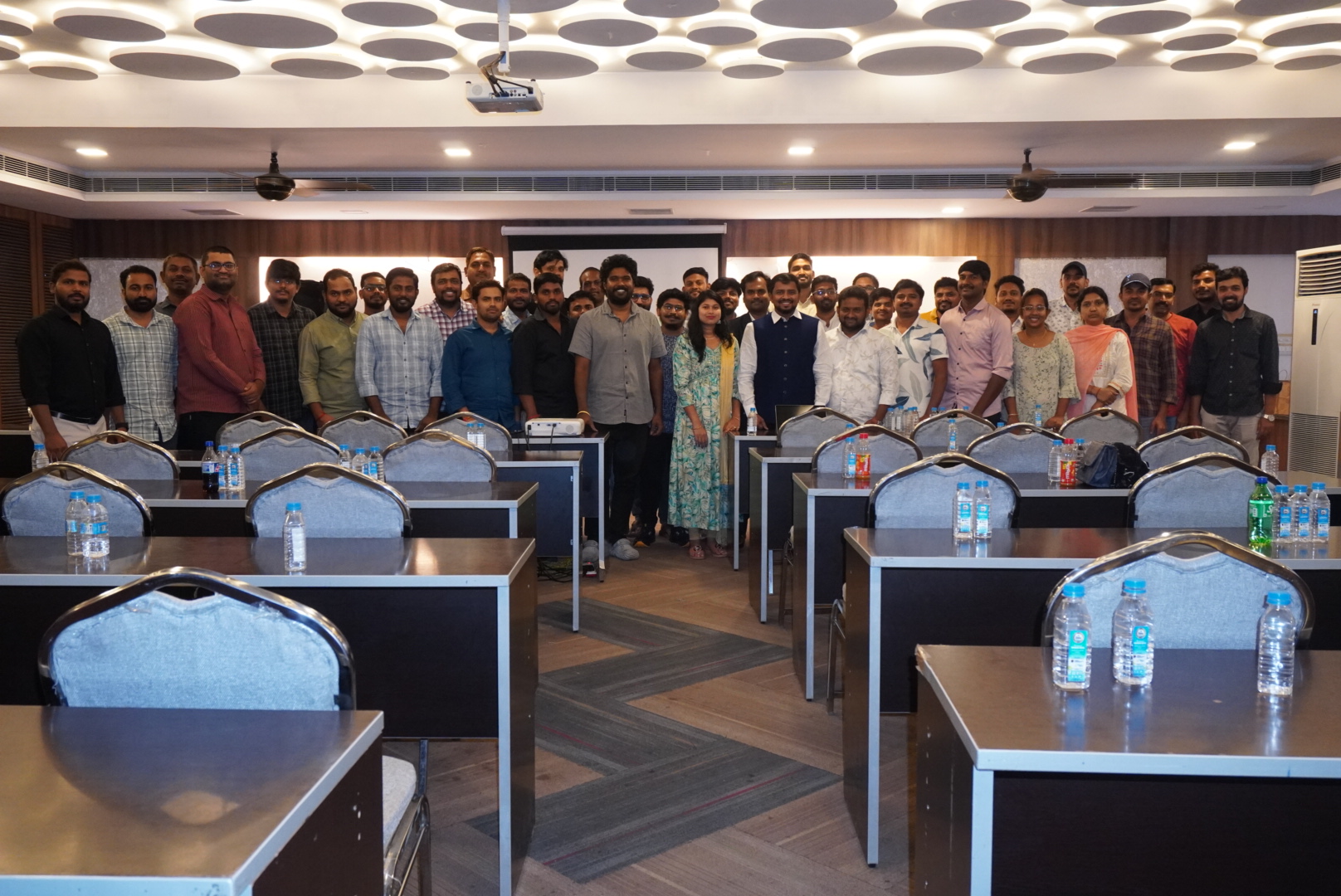
Throughout my career, I have had the privilege of mentoring and guiding numerous professionals and students, helping them excel in their IT careers.
I am also the founder of the popular YouTube channel KK FUNDA, where I break down complex technical concepts into simple, easy-to-understand lessons. My channel focuses on DevOps, AWS, Linux, GitHub, and Cloud Computing, areas in which I have gained extensive hands-on expertise.
My teaching approach is highly interactive and practical, ensuring that my students not only understand the theory but also gain real-world experience.


What’s Special in KK DevOps
Dedicated Job Portal
-
Exclusive Access For KK DevOps Students Only -
New DevOps, AWS & SRE Jobs Posted Daily -
100% Relevant, Curated Roles – No More Irrelevant Job Alerts -
Opportunities for Every Level, from Fresher to Experienced -
Direct Postings from Our Network of Trusted Partner Companies -
The Perfect Bridge From Your Training Directly to Your First Interview
Dedicated Blog Portal
-
Focus on Learning, Not Note-Taking -
Every Live Class, A Detailed Blog Post -
Never Miss a Detail: All Key Concepts, Commands & Diagrams Included -
Your Searchable Digital Notebook, Accessible 24/7 -
Ready-to-Use Code Snippets for Your Practice -
The Perfect Resource for Quick Revision & Interview Prep
Free DevOps Community MeetUps
-
Network with Industry Professionals and Seniors -
Stay Updated with the Latest Industry Trends & Tools -
Participate in Live Q&A and Real-World Problem-Solving Sessions -
Discover New Career Opportunities and Get Valuable Referrals -
Learn Beyond the Syllabus from Expert Guest Speakers -
Exclusive & Free Lifetime Access for All KK DevOps Students
Register Before Demo Session Start
Grab Course At only ₹23,000 ₹25,000 Save ₹2000
What’s Special in KK DevOps
Dedicated Job Portal
-
Exclusive Access For KK DevOps Students Only -
New DevOps, AWS & SRE Jobs Posted Daily -
100% Relevant, Curated Roles – No More Irrelevant Job Alerts -
Opportunities for Every Level, from Fresher to Experienced -
Direct Postings from Our Network of Trusted Partner Companies -
The Perfect Bridge From Your Training Directly to Your First Interview
Dedicated Blog Portal
-
Focus on Learning, Not Note-Taking -
Every Live Class, A Detailed Blog Post -
Never Miss a Detail: All Key Concepts, Commands & Diagrams Included -
Your Searchable Digital Notebook, Accessible 24/7 -
Ready-to-Use Code Snippets for Your Practice -
The Perfect Resource for Quick Revision & Interview Prep
Free DevOps Community MeetUps
-
Network with Industry Professionals and Seniors -
Stay Updated with the Latest Industry Trends & Tools -
Participate in Live Q&A and Real-World Problem-Solving Sessions -
Discover New Career Opportunities and Get Valuable Referrals -
Learn Beyond the Syllabus from Expert Guest Speakers -
Exclusive & Free Lifetime Access for All KK DevOps Students
Register Before Demo Session Start
Grab Course At only ₹23,000 ₹25,000 Save ₹2000
The KK DevOps Advantage: A Learning Experience Like No Other
“Here’s What Makes Our Program Unique ”
-
Learn From Absolute Fundamentals
-
Industry-Oriented & Up-to-Date Curriculum
-
Daily Standup Meetings / Interview Discussions for Accountability
-
Interview Preparation From Day 1
-
24/7 Direct Trainer Support via WhatsApp / Phone Call
-
“Live Notes” Blog Portal
-
Exclusive Dedicated Job Portal
-
Lifetime Community & Networking Access
Register Before Demo Session Start
Grab Course At only ₹23,000 ₹25,000 Save ₹2000
BUT WAIT!!!
— I’ve Something More For You… —
Not Only “Exclusive Training” 🚀But Also Results Driven Students Success Stories


Don’t Miss Our Special Pre-Registration Offer!
Regular Course Price: ₹25,000
Your Special Offer Price: ₹23,000
Register Before the FREE Demo Session and Get a Flat ₹2,000 Discount!
Limited Time Offer
Days Hours Minutes Seconds